
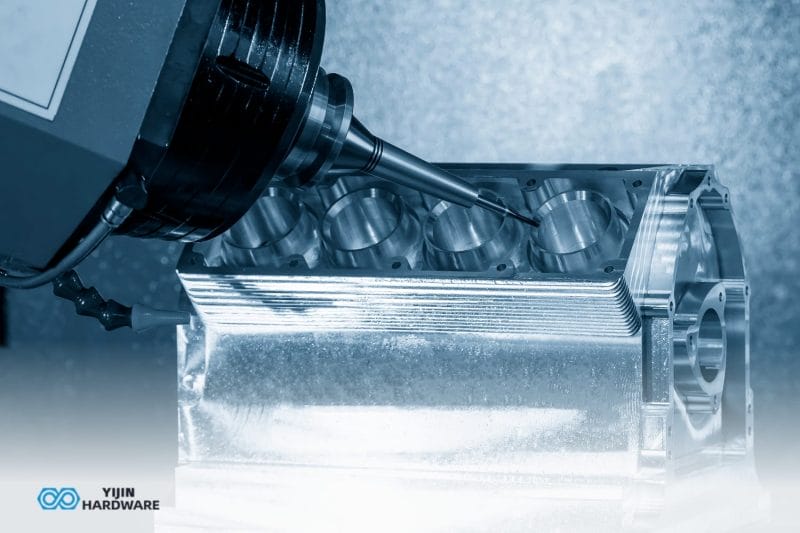
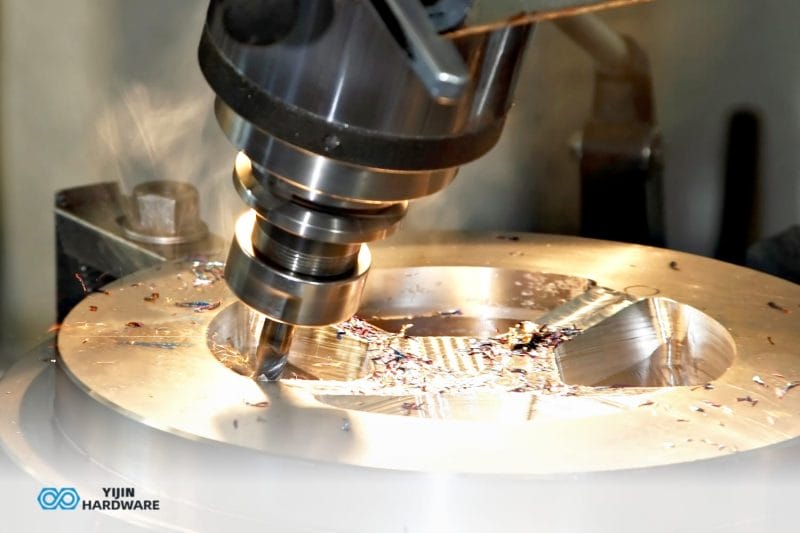


The use of CAD and CNC software has revolutionized product design and production. We’ve seen firsthand how skilled CNC machinists can transform digital blueprints into precision components using various equipment—from simple CNC routers to complex multi-axis systems. The magic happens when thoughtful machine design meets proper digital preparation, creating efficient pathways from concept to reality depending on the machine you’re working with.
At Yijin Solution, we help you navigate this journey with expertise born from years of hands-on experience. We understand the challenges you face when preparing designs for manufacturing and have developed streamlined approaches that save time and reduce errors. Whether you’re creating prototypes or production runs, our team ensures your designs translate perfectly to our CNC systems, delivering the precision components your projects demand.
Key Takeaways
- AutoCAD creates precise technical drawings that serve as blueprints for CNC machining operations
- The CAD to CNC workflow requires proper file preparation and conversion to G-code instructions
- AutoCAD’s DXF format provides excellent compatibility with most CAM software and CNC controllers
- Multi-axis CNC milling capabilities demand specific 3D model techniques for optimal results
- Yijin Solution integrates CAD and CAM to deliver superior custom parts for CNC machining
What is AutoCAD and Why is it Essential for CNC Machining?

AutoCAD is industry-standard computer-aided design software that creates precise 2D and 3D models essential for CNC machining processes. This powerful CAD software allows manufacturers to develop detailed technical drawings with exact specifications that CNC machines can follow. AutoCAD serves as the foundation of the digital manufacturing process, enabling the translation of concepts into physical parts with remarkable accuracy.
According to Precedence Research, CNC machining is currently being driven by artificial intelligence (AI), which increases precision and efficiency as well as automates processes in both design and execution. At Yijin Solution, we’ve implemented AutoCAD as our primary design tool because it offers unmatched precision for creating the complex geometry our clients require for custom parts.
How does the AutoCAD to CNC Workflow Function?
The CAD to CNC workflow begins with creating a detailed 2D drawing or 3D model in AutoCAD with precise dimensions and specifications. This initial design serves as the foundation for all subsequent manufacturing processes. The process then progresses through CAD file preparation, CAM program integration, and finally to numerical control machine execution that will automate production.
At Yijin Solution, we’ve refined this workflow into a streamlined operation that maintains design integrity throughout each stage.
Core Workflow Stages
- Design Phase: Creating precise 3D CAD models in AutoCAD
- File Preparation: Converting and optimizing CAD models for manufacturing
- CAM Integration: Generating toolpaths and G-code output for the CNC mill
- CNC Setup: Preparing machinery, cutting tool selection, and materials
- Machining Process: Using the CNC machine to produce the physical part
What AutoCAD Features are Most Valuable for CNC Manufacturing?
AutoCAD’s dimensional accuracy tools are the most valuable features for CNC manufacturing, allowing engineers to specify exact measurements down to micrometers. These precision tools ensure that machined parts meet tight tolerances required in industries like aerospace and medical device production. AutoCAD’s advanced annotation capabilities also enable clear communication of CNC machining requirements directly on technical drawings for machinists.
At Yijin Solution, our engineers utilize Autodesk Fusion 360 alongside AutoCAD’s parametric modeling features to create designs that can be easily modified when specifications change.
Critical AutoCAD Features for Manufacturing
- Geometric Dimensioning & Tolerancing (GD&T) tools for precise specification of allowable variations
- Layer management systems to organize different CNC operations
- Parametric constraints to maintain design intent during modifications
- Drawing annotation tools for manufacturing notes and CNC programming specifications
Which File Formats Work Best When Moving from AutoCAD to CNC?
DXF (Drawing Exchange Format) works best when moving from AutoCAD to CNC machinery because it was specifically designed by Autodesk for CAD data exchange. This format preserves all geometric data, dimensions, and layers exactly as designed in the original CAD file. DXF is universally recognized by virtually all popular CAM software and various CNC controllers.
For 3D models, STEP (Standard for Exchange of Product) and IGES (Initial Graphics Exchange Specification) formats offer excellent reliability when transferring complex geometries. These standardized file formats used for CNC machining are STEP and IGES, which maintain solid model integrity throughout the CAD-to-CAM conversion process.
| Format | Best For | Compatibility | Key Technical Details |
|---|---|---|---|
| DXF | 2D profiles | Excellent | Supports layers and blocks |
| STEP | 3D geometry | Very Good | ISO 10303 standard |
| IGES | Surface models | Good | Supports NURBS surfaces |
How do you Prepare AutoCAD Files for CNC Machining?
You prepare your CAD files for CNC machining by first checking all dimensions for manufacturing feasibility and tolerance specifications. This critical first step ensures that the design doesn’t contain features impossible to produce on CNC equipment. Next, organize drawing elements into logical layers based on specific machining operations and cutting tool requirements.
At Yijin Solution, our preparation process includes converting all text elements to geometry and verifying that all closed paths are properly defined. We also run automated checks to identify potential issues like impossible internal corners or features too small for available tooling.
Technical Preparation Checklist
- Verify units are consistent (metric or imperial)
- Check minimum feature sizes against tooling capabilities
- Convert splines to arcs and lines for better machining
- Add appropriate fillets to internal corners (minimum R0.5mm for standard tooling)
- Create a clear origin point for CNC setup
What Role does CAM Software Play in the AutoCAD-to-CNC Process?
CAM software for CNC serves as the essential translator between AutoCAD designs and CNC machine instructions, generating toolpaths and G-code that control how the CNC machine will function. This intermediate software program analyzes the geometry directly from the 3D CAD file and determines optimal cutting strategies, tool selections, and machining parameters based on the specific requirements of each part.
At Yijin Solution, we use advanced CAM programs that seamlessly integrate with our chosen CAM software through direct importation of DXF and STEP files. Our CNC programmers optimize toolpaths for both efficiency and part quality, considering factors like material properties, machine capabilities, and surface finish requirements.
Advanced CAM Functionality
- High-speed machining (HSM) toolpaths that maintain consistent tool engagement
- Rest machining strategies that efficiently remove material in stages
- Adaptive clearing techniques that extend tool life while increasing material removal rates
- Toolpath simulation to verify operations before actual machining
How does Multi-Axis CNC Machining Change AutoCAD Requirements?
Multi-axis CNC machining requires fully developed 3D solid models in AutoCAD rather than simple 2D drawings used for basic CNC turning operations. These comprehensive 3D CAD files must include a complete geometric definition of all surfaces that will be machined from multiple angles on 5-axis machines. Special attention to model integrity becomes critical when designing for advanced CNC milling operations.
At Yijin Solution, our engineers have developed specialized modeling techniques that optimize designs specifically for our advanced multi-axis CNC machining center. These techniques ensure that all geometries are properly defined for complex machining approaches from multiple directions, which is essential for many CNC processes.
Multi-Axis Technical Considerations
- Tool approach vectors must be defined for complex surface machining
- Collision avoidance becomes significantly more complex
- Feature accessibility from multiple angles must be verified
- Coordinate system transformations must be accurately defined
How does AutoCAD Compare to Other CAD Software for CNC Applications?
AutoCAD offers superior 2D drafting capabilities and technical documentation when compared to other best CAD software for CNC applications. Its precision drawing tools and annotation features make it particularly effective for creating detailed manufacturing documentation. While software options like SolidWorks or Autodesk Fusion 360 may offer more integrated CAM functionality, AutoCAD remains the industry standard for technical drawing for CNC machining in many machine shops.
| Software | Strengths | Best For |
|---|---|---|
| AutoCAD | 2D precision, universal compatibility | Detailed technical drawings |
| Fusion 360 | Integrated CAD/CAM, cloud workflow | All-in-one design to manufacturing |
| SolidWorks | Parametric 3D modeling, simulation | Complex assemblies |
| FreeCAD | No cost, open-source | Basic projects |
What Industries Benefit Most from AutoCAD-CNC Integration?
The aerospace industry benefits most from the integration of CAD and CNC, due to its extraordinarily tight tolerance requirements and complex geometries. Aerospace components often require precision machining of specialized materials with documentation of every step in the process of creating parts, making AutoCAD’s detailed technical documentation capabilities essential. The medical device industry similarly benefits from this design and manufacturing integration for creating precisely machined surgical instruments and implantable devices.
At Yijin Solution, we serve clients across these high-precision industries, providing custom CNC machined parts that meet their exacting standards. Our expertise in CAD to production in less time enables us to produce complex components that consistently meet or exceed industry specifications.
Industry-Specific Applications
- Aerospace: Structural components, fuel system parts, navigation hardware
- Medical: Surgical instruments, implant components, diagnostic equipment
- Automotive: Engine components, transmission parts, prototype elements
- Electronics: Enclosures, heat sinks, test fixtures
What are the Best Practices for AutoCAD Design for Manufacturability?
Designing with appropriate tolerances based on machining capabilities is the most important best practice for AutoCAD design for manufacturability. Specifying tolerances that are achievable with available CNC equipment prevents costly rework and ensures parts for CNC machining function as intended. Additionally, minimizing complex features that require specialized tooling or multiple setups significantly improves the manufacturing efficiency of CNCs.
Technical DFM Guidelines
- Maintain minimum wall thickness appropriate for the material (≥0.8 mm for aluminum, ≥1.2 mm for steel)
- Add appropriate fillets to interior corners (minimum radius = 1/3 of cavity depth)
- Design with standard tool sizes in mind (use common diameters: 2 mm, 3 mm, 4 mm, 6 mm, 8 mm, 10 mm, 12 mm)
- Avoid unnecessarily tight tolerances where not functional (use ±0.1 mm where possible)
- Include datum references for critical dimensions
How Can You Troubleshoot Common AutoCAD-to-CNC Conversion Issues?
You can troubleshoot common CAD-to-CNC conversion issues by first ensuring all geometry is properly closed and free of overlapping or duplicate elements. These geometry problems are the most frequent cause of toolpath generation errors in the programming language of CNC. Next, verify that all dimensions use consistent units (either metric or imperial) to prevent scaling issues when preparing your base software for machining.
Advanced Troubleshooting Techniques
- Explode complex objects into basic elements for better translation
- Purge unused elements to reduce file complexity and potential conflicts
- Run AUDIT command to identify and fix drawing database errors
- Use OVERKILL command to remove duplicate or overlapping geometry
- Convert splines to polylines using appropriate tolerance settings
Yijin Solution: Advanced Design and CNC Machining Services
AutoCAD remains a powerful foundation for CNC machining processes when properly integrated with appropriate CAM solutions. Its precision, universal compatibility, and detailed documentation capabilities make it an essential tool for manufacturers creating custom parts across industries. By understanding the complete workflow from design to production, companies can leverage the best CAD software to achieve superior manufacturing results.
At Yijin Solution, we combine expertise in AutoCAD design optimization with advanced CNC machining capabilities to deliver exceptional custom parts for our clients worldwide. Our comprehensive understanding of how to make CAD models work with CNCs enables us to produce complex components with precision, efficiency, and reliability. Contact us for modern CNC services!
AutoCAD for CNC Machining FAQs
Can AutoCAD generate G-code directly for CNC machines?
AutoCAD cannot generate G-code directly for CNC machines, as it lacks built-in computer-aided manufacturing functionality. AutoCAD is primarily designed for creating precise drawings and models, not for toolpath generation that tells the CNC machine how to move. To convert AutoCAD designs into machine-readable G-code, you need to use intermediate CAM software that specializes in toolpath creation and post-processing for various CNC applications.
What AutoCAD skills are most important for CNC programming?
Precision dimensioning and geometric construction skills are most important for CNC programming in AutoCAD. Engineers must create geometrically accurate models with proper constraints and dimensions that translate effectively to manufacturing services also accept 3D files. Additionally, understanding how to organize drawings using layers helps separate different machining operations when the file is imported into your chosen CAM software for mill programming.
How do I determine appropriate tolerances in AutoCAD for CNC machining?
Determine appropriate tolerances in AutoCAD for CNC machining by first understanding your specific machine capabilities and the functional requirements of the part. Standard CNC mills typically achieve tolerances of ±0.05 mm (0.002”), while high-precision equipment can reach ±0.01 mm (0.0004”) or better. Balance the tightest tolerance necessary for functionality against increased machining time and cost.
What is the difference between 2D and 3D AutoCAD for CNC applications?
2D AutoCAD for CNC applications focuses on creating profile geometries used for operations like laser cutting, plasma cutting, and 2.5D milling. These 2D drawing files represent shapes that will be cut along a flat plane or to a uniform depth on the CNC. 3D AutoCAD creates complete volumetric models necessary for complex multi-axis machining operations that require tool movement in all spatial dimensions, and is the best software is used to create complex parts for CNC machining.
Back to Top: AutoCAD for CNC Machining: The Ultimate Guide for Manufacturing Professionals






 English
  Spanish
  German
  French