

CNC-Maschinenprogrammiersoftware verbindet ein Teiledesign mit der physischen bearbeiteten Geometrie. Ohne sie hat eine CNC-Maschine keine Anweisungen zum Ausführen. Diese Softwareebene bestimmt die Schnittgenauigkeit, die Zykluseffizienz und ob die fertigen Maße dem Design entsprechen.
CNC-Maschinenprogrammiersoftware deckt drei verschiedene Werkzeugtypen ab: CNC-CAD-Tools, die die Geometrie erstellen, CAM-Systeme, die die Geometrie in Schneidanweisungen übersetzen, und CNC-Steuerungssoftware, die die Achsen der Maschine in Echtzeit antreibt. Jede behandelt eine andere Phase des Workflows, und die Qualität der Entscheidungen in jeder Phase prägt Oberflächenbeschaffenheit, Maßhaltigkeit und Zykluszeit ebenso wie die Maschine selbst.
Qualität CNC-Bearbeitungsdienstleistungen laufen auf einem vollständig integrierten Software-zu-Maschine-Workflow von DFM-geprüften CAD-Dateien über nachbearbeiteten G-Code auf mehreren CNC-Zentren. Der Leitfaden erklärt, wie diese Softwaretypen funktionieren, wo sie im Bearbeitungsprozess ansetzen und worauf bei der Bewertung der Softwarefähigkeiten eines Lieferanten zu achten ist.
Was ist CNC-Maschinenprogrammierungssoftware?

CNC-Maschinenprogrammiersoftware ist die gemeinsame Ebene digitaler Werkzeuge, die die Bauteilgeometrie in Maschinenbewegung übersetzt. Sie deckt die gesamte Produktionskette ab, von der Erstellung der CNC-CAD-Geometrie über die CAM-Werkzeugweggenerierung bis zur G-Code-Ausgabe.
Der Begriff CNC-Computerprogramm wird manchmal verwendet, um die G-Code-Datei zu beschreiben. Dies ist der Befehlssatz, den eine Steuerung Zeile für Zeile liest. Die CNC-Maschinenprogrammiersoftware ist jedoch die übergeordnete Kategorie, die die Plattformen umfasst, die diese Dateien erzeugen, validieren und ausführen.
Die Unterscheidung ist wichtig, wenn Sie die Leistungsfähigkeit eines Lieferanten bewerten, denn die Softwareumgebung bestimmt den Umgang mit Dateien, die Geometriegenauigkeit und die Programmiertiefe – nicht nur die Maschinenhardware, die den Code ausführt.
Was macht CNC-Programmiersoftware eigentlich?
Wenn ein erfahrener Zerspaner eine Bauteilzeichnung erhält, beginnen die Entscheidungen sofort. Er legt fest, welche Werkzeuge in welcher Reihenfolge mit welchen Drehzahlen verwendet werden und wie tief pro Durchgang geschnitten wird. Er plant, wo das Bauteil gehalten wird, damit sich nichts unter der Schnittkraft bewegt.
CNC-Maschinenprogrammiersoftware kodiert all diese Entscheidungen. Sie verwandelt eine Geometriedatei automatisch in einen präzisen Satz von Maschinenanweisungen – in einem Maßstab und mit einer Konsistenz, die kein manueller Prozess erreichen kann.
Ein CAD-Modell ist nicht die einzige Komponente hinter jedem bearbeiteten Teil. Zwischen der Konstruktionsdatei und dem fertigen Teil liegt eine ganze Ebene des digitalen Engineerings: Geometrievalidierung, Auswahl der Werkzeugwegstrategie sowie Berechnung von Vorschub und Drehzahl.
Die Qualität dieser Entscheidungen bestimmt das Ergebnis, unabhängig von der Maschinenhardware. Zwei Betriebe mit identischer Ausstattung können unterschiedliche Ergebnisse erzielen, wenn sich ihre Softwareumgebungen, Werkzeugwegstrategien oder Postprozessor-Konfigurationen unterscheiden. Oberflächenbeschaffenheit, Maßhaltigkeit und Zykluszeit sind allesamt Funktionen der Softwarequalität.
Was sind die wichtigsten Arten von CNC-Programmiersoftware?
Drei verschiedene Softwarekategorien decken die unterschiedlichen Phasen des CNC-Bearbeitungsworkflows ab. Jede hat eine definierte Funktion und einen definierten Nutzer. Die folgende Tabelle gibt einen Überblick.
| Softwaretyp | Primäre Funktion | Typischer Anwender |
|---|---|---|
| CNC-CAD-Software | Erstellung der Teilegeometrie – Konstruktionsphase | Konstrukteur |
| CAM-Software | Werkzeugweggenerierung + G-Code-Ausgabe – Programmierung | CNC-Programmierer |
| CNC-Steuerungssoftware | Maschinenschnittstelle, die G-Code interpretiert und Achsen ansteuert – Phase des Maschinenbetriebs | Maschinenbediener / Rüstingenieur |
Viele Bearbeitungsworkflows verwenden alle drei Typen nacheinander. Einige integrierte Plattformen kombinieren CAD und CAM in einer einzigen Umgebung und fassen die ersten beiden Phasen zu einer zusammen.
Fusion 360 ist das am weitesten verbreitete Beispiel für diese Konfiguration. CAD und CAM laufen in derselben Dateiumgebung, sodass Geometrieänderungen die zugehörigen Werkzeugwege automatisch aktualisieren, ohne Dateiexport und erneuten Import. Für Lohnfertiger und interne Konstruktionsteams, die mit eigenen Konstruktionen arbeiten, reduziert diese enge Integration die Programmierzeit und beseitigt eine häufige Fehlerquelle bei der Datenübertragung.
Produktionsbetriebe, die komplexe Mehrachsen-Arbeiten ausführen, setzen häufiger auf dedizierte CAD-Software in Kombination mit einer Eigenständiges CAM-Paket. Die Wahl der Architektur beeinflusst, wie Dateien zwischen den einzelnen Phasen gehandhabt werden und ob die Geometriedaten jede Übergabe genau genug überstehen, um Ihre Toleranzen zu halten.
CNC-CAD-Software
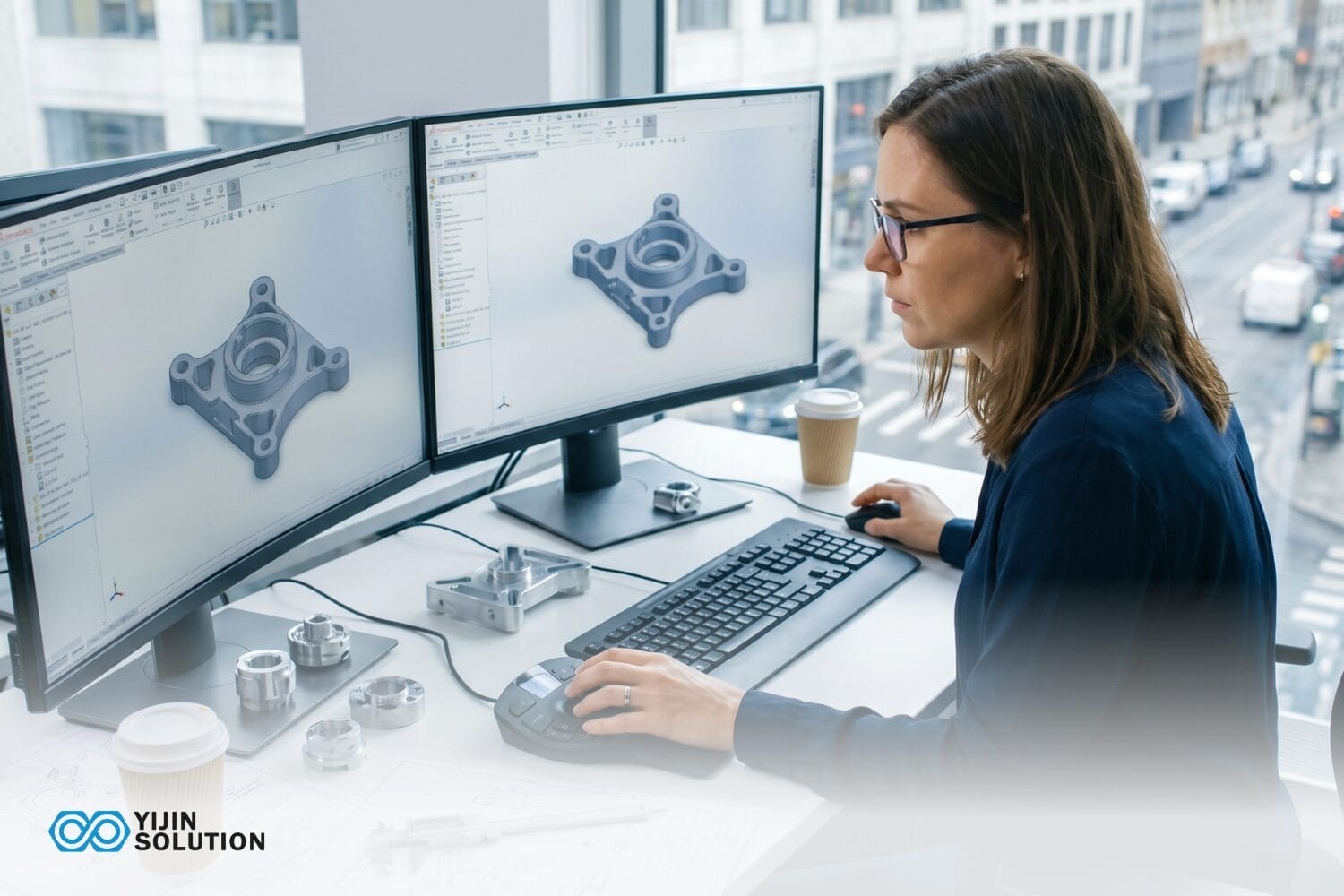
CNC-CAD-Software erzeugt die 3D-Geometrie des Teils, die jedes Merkmal definiert, das ein Zerspaner bearbeitet. Die Dateiqualität in dieser Phase bestimmt die Maßhaltigkeit der nachfolgenden Bearbeitung.
Schlecht eingeschränkte Geometrien führen zu Toleranzfehlern, bevor überhaupt ein Werkzeugweg erzeugt wird. Diese Fehler können sich durch den gesamten Workflow fortpflanzen und zu Bauteilen außerhalb der Toleranz führen.
CNC-CAD-Software erstellt die Bauteilgeometrie, die jedes Merkmal definiert, das ein Zerspanungsmechaniker schneiden wird. Gängige Plattformen in Produktionsumgebungen sind Fusion 360, SolidWorks, AutoCAD und Onshape.
Ein sauber aufgebautes CAD-Modell enthält vollständige Feature-Constraints, korrekte Toleranzen und eine Geometrie, die sich ohne Reparatur sauber in eine CAM-Umgebung importieren lässt.
CAM-Software
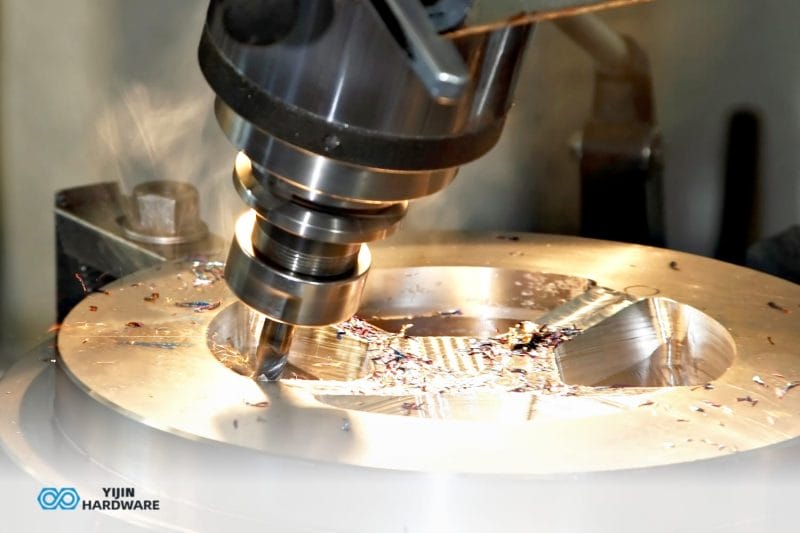
Die CAM-Software übernimmt das validierte CAD-Modell und wandelt es in Werkzeugwege um. Der Programmierer legt fest, welche Werkzeuge verwendet werden, die Schnittstrategie, Vorschübe, Spindeldrehzahlen und die Tiefe jedes Durchgangs. Die CAM-Plattform führt dann einen Postprozessor aus, der den generischen Werkzeugweg in die G-Code-Syntax der Zielmaschinensteuerung übersetzt.
Das Postprozessor-Matching ist hier ein entscheidendes Detail. Ein Fanuc-Postprozessor und ein Heidenhain-Postprozessor erzeugen unterschiedliche G-Code-Syntax für denselben Werkzeugweg. Die leistungsfähigsten CAM-Plattformen enthalten validierte Postprozessoren für Fanuc-, Siemens SINUMERIK- und Heidenhain-Steuerungen bereits ab Werk. Das bedeutet weniger individuellen Konfigurationsaufwand und eine besser vorhersehbare G-Code-Ausgabe für die Maschinen, die Ihr Lieferant tatsächlich einsetzt.
Die Qualität der CAM-Strategie bestimmt die Oberflächengüte und die Zykluszeit stärker als jede andere Programmiervariable. Adaptive Räumstrategien reduzieren die Werkzeugbelastung und verlängern die Standzeit bei schwierigen Werkstoffen. Die Reihenfolge der Schlichtgänge entscheidet, ob eine Oberfläche die Ra-Vorgaben direkt nach der Bearbeitung erfüllt oder zusätzliches Handfinishing erfordert.
CNC-Steuerungssoftware
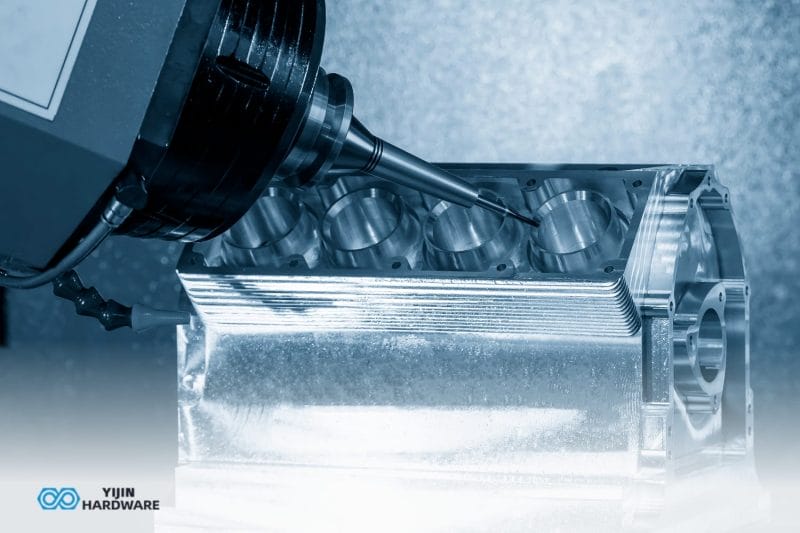
Die CNC-Steuerungssoftware ist die Schnittstelle zwischen dem G-Code-Programm und den physischen Bewegungsachsen der Maschine. Sie liest jede Codezeile, steuert die Achsbewegung, regelt Spindeldrehzahl und -richtung, löst Werkzeugwechsel aus und überwacht den Maschinenzustand während des gesamten Schneidzyklus.
Auf Produktions-CNC-Maschinen übernimmt proprietäre Steuerungsfirmware diese Funktion: Fanuc, Siemens SINUMERIK und Heidenhain sind die dominierenden Plattformen in Fertigungsumgebungen. PC-basierte Standalone-Steuerungssoftware bedient einen völlig anderen Markt und erscheint hauptsächlich auf umgebauten Hobbymaschinen und Sondermaschinen.
Wie fügt sich die CNC-Programmiersoftware in den Bearbeitungsablauf ein?
Von der Konstruktionsdatei bis zum fertigen Teil durchläuft jeder CNC-Bearbeitungsauftrag eine definierte, softwaregesteuerte Abfolge. Jede Stufe hat einen definierten Input, einen definierten Werkzeugtyp und einen definierten Output. Die folgende Tabelle zeigt den Standard-Workflow.
| Schritt | Bühne | Verwendete Software | Ausgabe |
|---|---|---|---|
| 1 | Teil Design | CNC-CAD-Software | 3D-Modell / 2D-Zeichnung |
| 2 | DFM-Analyse | CAD- + DFM-Analyse-Tools | Überarbeitete Geometrie, Toleranzangaben |
| 3 | Werkzeugwegprogrammierung | CAM-Software | Werkzeugweg-Simulationsdatei |
| 4 | Nachbearbeitung | CAM-Postprozessor-Modul | Maschinenspezifische G-Code-Datei |
| 5 | Programmladen & Rüsten | CNC-Steuerungssoftware | Zustand bearbeitungsbereit |
| 6 | Zerspanung & Prüfung im Prozess | CNC-Steuerungssoftware + Messtastersysteme | Fertiges Teil |
Plattformen wie Fusion 360 fassen die Schritte 1 bis 4 in einer einzigen Umgebung zusammen. Wenn CAD und CAM auf derselben Datei arbeiten, werden Änderungen an der Bauteilgeometrie automatisch auf die Werkzeugweg-Einrichtung übertragen. Dies eliminiert den Datei-Import-/Export-Zyklus, der bei Workflows mit getrennten Plattformen zu Übersetzungsfehlern führt.
Für Zulieferer, die direkt mit kundenseitig bereitgestellten CAD-Dateien arbeiten, bleiben die Schritte Nachbearbeitung und Verifikation unabhängig von der CAD/CAM-Architektur getrennt.
Integriertes CAD/CAM vs. Standalone-Software: Was ist der Unterschied?
Wenn Sie CAD-Dateien an einen Bearbeitungslieferanten senden, ist die relevante Frage, ob seine Softwareumgebung Ihre Dateien sauber verarbeitet und Ihre Geometrie präzise in Maschinenanweisungen übersetzt. Die integrierte gegenüber der eigenständigen CAM-Architektur bestimmt diese Antwort direkt.
| Attribut | Integriertes CAD/CAM | Eigenständiges CAM |
|---|---|---|
| Workflow von der Konstruktion zum Werkzeugweg | Eine Umgebung: Konstruktion und Programmierung verknüpft | Import/Export zwischen Anwendungen erforderlich |
| Risiko bei der Geometrieübersetzung | Geringer: keine Dateikonvertierung zwischen den Schritten | Höher: Die STEP/IGES-Konvertierung kann Toleranzfehler verursachen |
| Kosten | Oft eine Einzelplatzlizenz | Eventuell zwei separate Lizenzen erforderlich |
| Am besten für | Lieferanten, die mit denselben Dateien konstruieren und selbst fertigen | Produktionsumgebungen, die externe CAD-Daten von Kunden erhalten |
| Beispiele | Fusion 360, SolidCAM, SolidWorks CAM | Mastercam, Hypermill, BobCAD |
Wenn die CAM-Umgebung eines Lieferanten Ihr natives Dateiformat direkt akzeptiert, entfällt der Schritt der Geometrieübersetzung. Das eliminiert eine Klasse von Toleranzfehlern, die auftreten können, wenn Flächendaten zwischen Softwareumgebungen übertragen werden. Integrierte Plattformen wie Fusion 360 eignen sich gut für Lieferanten, die Design und Bearbeitung aus denselben Dateien im Haus durchführen.
Große Fertigungsumgebungen mit komplexer Mehrachsen-Bearbeitung arbeiten häufig mit dediziertem CAD in Kombination mit einer eigenständigen CAM-Lösung wie Mastercam oder Hypermill.
Der Grund ist, dass in diesen Umgebungen die Tiefe der Postprozessor-Bibliothek und die Kompatibilität mit der Steuerung entscheidende Bewertungskriterien sind. Ein Lieferant, der Hypermill mit einem validierten Fanuc-Postprozessor für Ihren Maschinentyp einsetzt, erzielt gleichbleibendere Ergebnisse als einer, der einen generischen Postprozessor anpasst.
Worauf Sie bei der Bewertung der Softwarekompetenz eines CNC-Lohnfertigers achten sollten

Die Softwarekompetenz ist ein direkter Indikator dafür, wie genau ein Anbieter Ihre Teile bearbeiten kann. Die folgenden Kriterien behandeln, was Sie fragen und worauf Sie achten sollten – aus der Perspektive eines Ingenieurs oder Einkaufsteams, das beurteilt, ob die Softwareumgebung eines Partners Ihre Teile präzise verarbeiten kann.
Dateiformat-Kompatibilität
Eine CAM-Umgebung eines Lieferanten sollte Ihr natives CAD-Format ohne Geometriereparatur akzeptieren. Die Übersetzung von Dateiformaten führt zu Toleranzabweichungen, bevor überhaupt eine Werkzeugbahn erzeugt wird. Fragen Sie, welche Formate nativ akzeptiert werden und ob die Geometriereparatur ein Standardprozess bei der Auftragsannahme ist.
Werkzeugweg-Simulation und Verifizierung
Ein Lieferant, der CAM-Software mit vollständiger Maschinensimulation einsetzt, erkennt Werkzeugbahnkollisionen und Eilgangfehler, bevor die Maschine läuft. Das reduziert direkt Ausschussteile und vermeidet kostspielige Nachbearbeitungszyklen. Fordern Sie Nachweise, dass die Simulation ein Standardprozess im Programmierablauf ist und keine optionale Prüfung.
Postprozessor-Abgleich
Der CAM-Postprozessor muss für den spezifischen Maschinencontroller konfiguriert sein, den der Lieferant betreibt. Die vorherrschenden Produktionscontroller sind Fanuc, Siemens SINUMERIK und Heidenhain. Ein generischer oder schlecht abgestimmter Post erzeugt Code, der zwar läuft, aber nicht für die Oberflächenqualität oder die Zykluszeit auf dieser Maschine optimiert ist.
Fragen Sie, welche Steuerungen im Betrieb vorhanden sind und ob die Postprozessoren für diese spezifischen Steuerungsversionen validiert wurden. Bei Mehrachsen- oder Dreh-Fräs-Arbeiten fragen Sie außerdem, ob der Postprozessor auf der exakten Maschinenkonfiguration getestet wurde, die Ihr Teil erfordert, da ein für 3-Achs-Fanuc validierter Postprozessor auf einer 5-Achs-Fanuc-Konfiguration möglicherweise nicht korrekt arbeitet.
5-Achs- und Dreh-Fräs-Kompetenz
Wenn Ihr Bauteil 5-Achs-Konturfräsen oder kombinierte Dreh- und Fräsbearbeitungen erfordert, prüfen Sie, ob die CAM-Software des Lieferanten die richtigen Module für diese Bearbeitungsarten enthält. Nicht alle CAM-Plattformen beherrschen Mehrachsen-Konturfräsen oder Dreh-Fräsen von Haus aus. Manche benötigen separat lizenzierte Module, und nicht jeder Lieferant hat diese aktiviert.
CAD/CAM-Integration
Ein Lieferant, dessen CAM-Umgebung direkt mit demselben Dateiformat arbeitet, das Sie verwenden, reduziert das Risiko von Geometrieübersetzungsfehlern bei der Dateiübergabe. Dies ist am wichtigsten, wenn Teile enge Toleranzen auf komplexen Oberflächen aufweisen, wo selbst kleine Übersetzungsfehler Merkmale außerhalb der Spezifikation bringen können.
DFM-Analyse als softwaregestützter Prozess
Die leistungsfähigsten Lieferanten nutzen ihre CAM-Umgebung als Teil der fertigungsgerechten Konstruktion. Sie erkennen Merkmale, die schwer zu bearbeiten sind, Toleranzangaben, die die Maschinenfähigkeit überschreiten, oder Werkzeugwegstrategien, die Probleme mit der Oberflächenbeschaffenheit verursachen würden. Eine kostenlose DFM-Analyse mit echter CAM-Simulationsunterstützung unterscheidet sich deutlich von einer visuellen Prüfung einer Zeichnung.
CNC-Programmiersoftware vs. G-Code: Wie hängen sie zusammen?
CAM-Software erzeugt die G-Code-Datei. G-Code ist die Ausgabesprache, die CNC-Maschinen lesen. Sie ist eine textbasierte Anleitung Angabe von Achspositionen, Vorschubgeschwindigkeiten, Spindeldrehzahlen und Werkzeugwechseln. Die Maschinensteuerung führt die G-Codes Zeile für Zeile aus. CNC-Programmiersoftware erzeugt und interpretiert diese Sprache.
Manuelle G-Code-Programmierung ist nach wie vor für einfache Programme wie Einzeloperationen beim Drehen und grundlegende Bohrzyklen auf einfachen Geometrien erforderlich. Für alles Komplexere übernimmt CAM-Software die Generierung weitaus zuverlässiger und schneller.
Ein einzelner 5-Achs-Werkzeugweg für ein komplexes Luft- und Raumfahrtbauteil kann über 50.000 Zeilen G-Code enthalten. Diese manuell zu schreiben oder zu prüfen ist nicht praktikabel. CAM-Software generiert, simuliert und validiert das vollständige Programm, bevor es die Maschine berührt.
Ein Betrieb, der sich als ‘CNC-Programmierer’ bezeichnet, meint die menschliche Urteilsebene. Sie sind die Ingenieure, die CAM-Strategien konfigurieren, Werkzeugwege definieren und die G-Code-Ausgabe validieren. Die Software ersetzt diese Rolle nicht; sie automatisiert die Berechnung, während die Notwendigkeit von Engineering-Entscheidungen in jeder Phase erhalten bleibt.
Vorteile und Grenzen von CNC-Programmiersoftware
Vorteile
CNC-Programmiersoftware eliminiert die manuellen G-Code-Berechnungsfehler, die bei komplexer Geometrie auftreten. Mehrachsige Konturbearbeitung und zusammengesetzte Oberflächen lassen sich gut mit CNC-Software umsetzen, da eine manuelle Programmierung unpraktikabel wäre.
In moderne CAM-Plattformen integrierte Simulationen erkennen Werkzeugbahnkollisionen, Eilgangfehler und Vorrichtungskollisionen, bevor die Maschine läuft, und reduzieren so Ausschussraten und Maschinenstillstand.
Integrierte CAD/CAM-Umgebungen halten Design- und Werkzeugbahndaten verknüpft. Wenn sich die Geometrie ändert, werden die zugehörigen Werkzeugbahnen ohne vollständigen Neuprogrammierungszyklus aktualisiert. Das verkürzt die Iterationszeit und eliminiert das Risiko, dass veraltete Werkzeugbahndaten auf geänderter Geometrie laufen. Bei Wiederholaufträgen verkürzen Vorlagen-Werkzeugbahnen und die Wiederverwendung von Bibliotheken die Programmierzeit bei nachfolgenden Durchläufen.
Beschränkungen
Keine CNC-Programmiersoftware macht das Wissen über das Rüsten überflüssig. Vorschubgeschwindigkeiten, die Auswahl der Werkzeuggeometrie, die Spannstrategie und materialspezifische Schnittparameter erfordern weiterhin technisches Urteilsvermögen. Software automatisiert die Berechnung der Werkzeugbahnbewegung. Was sie nicht ersetzt, ist das Wissen des Anwenders hinter den Parametern, die diese Berechnungen steuern.
Softwarelizenzkosten sind ein realer Faktor für kleinere Betriebe. Große CAM-Plattformen verursachen erhebliche jährliche Abonnement- oder Wartungsgebühren. Mehrachsmodule erfordern oft zusätzliche Lizenzen obendrein.
Die Postprozessor-Konfiguration ist eine technische Disziplin für sich. Ein schlecht abgestimmter Postprozessor führt zu subtilen G-Code-Fehlern, die ohne tiefes Steuerungswissen schwer zu diagnostizieren sind.
Integrierte Plattformen können eine Abhängigkeit von der Umgebung eines einzelnen Anbieters schaffen. Wenn neue Maschinentypen in einer Werkstatt hinzukommen, verfügt die bestehende CAM-Plattform möglicherweise nicht über validierte Postprozessoren für die neue Steuerung, was entweder eine kundenspezifische Postprozessor-Entwicklung oder einen Plattformwechsel erfordert.
Warum CNC-Programmiersoftware nur ein Teil des Ganzen ist
Mehrere physikalische und prozessbedingte Variablen bestimmen, ob softwaregenerierte Werkzeugwege tatsächlich maßhaltige, gleichbleibende Teile erzeugen:
- Maschinenstabilität: Thermische Drift, Spindelrundlauf und Umkehrspiel der Achsen beeinflussen alle, ob der G-Code in eine maßhaltige Geometrie am Werkstück umgesetzt wird.
- Vorrichtungen und Werkstückspannung: Ein korrekter Werkzeugweg führt zu schlechten Ergebnissen, wenn sich das Teil unter der Schnittkraft bewegt. Die Werkstückaufnahme ist eine physische Einschränkung, die Software nicht lösen kann.
- Werkzeugzustand: Verschlissene Wendeschneidplatten oder eine falsche Werkzeuggeometrie führen zu Maßabweichungen, die die CAM-Simulation nicht vorhersagen kann, da die Simulation ideale Werkzeuge voraussetzt.
- Materialverhalten: Verschiedene Legierungen reagieren unterschiedlich auf dieselben Schnittparameter. Titan neigt zur Kaltverfestigung. Aluminium 6061 lässt sich bei hohen Geschwindigkeiten sauber zerspanen. Edelstahl 316L erzeugt Wärme, die die Standzeit der Werkzeuge beeinträchtigt. CAM-Strategien müssen das materialspezifische Verhalten berücksichtigen.
- Zerspanungsstrategie: Adaptives Räumen, trochoidales Fräsen und die Abfolge der Schlichtgänge beeinflussen Oberflächengüte und Standzeit in einer Weise, die eine Simulation nur annähernd abbildet – die Bedingungen vor Ort sind entscheidend.
- Messung und Verifikation: In-Prozess-Messungen und CMM-Prüfung nach dem Prozess bestätigen, ob die programmierte Geometrie tatsächlich erreicht wurde. Die Software definiert die Vorgabe. Die Prüfung bestätigt das Ergebnis.
Software ist eine notwendige Voraussetzung für präzise CNC-Bearbeitung. Die Wahl eines Lieferanten mit starker Softwarekompetenz ist wichtig. Ebenso wichtig ist die Wahl eines Anbieters mit Maschinenstabilität, Werkzeugdisziplin, Know-how bei der Werkstückaufnahme und Prüfinfrastruktur, um das umzusetzen, was die Software vorgibt.
Software kann auch nicht das technische Urteilsvermögen ersetzen, das hinter den von ihr berechneten Parametern steht. Ein CAM-Programmierer mit tiefem Materialwissen trifft andere Entscheidungen als einer, der Software-Standardwerte akzeptiert. Vorschubgeschwindigkeit, Werkzeugeingriffswinkel, Schlichtgangtiefe und Kühlstrategie für einen dünnwandigen Halter aus Titan Grade 5 sind keine Standardwerte. Sie sind das Ergebnis von Erfahrung damit, wie sich dieses Material unter Schneidlast verhält.
Hier bringt die DFM-Analyse Mehrwert, den Software allein nicht bieten kann. Bei Yijin-Lösung, prüft unser Engineering-Team die Konstruktionen, bevor die Bearbeitung beginnt. So erkennen wir Merkmale, die die Maschinenfähigkeit überschreiten, Toleranzangaben, die Prozessänderungen erfordern, und Werkzeugwegstrategien, die wahrscheinlich Probleme mit der Oberflächenbeschaffenheit verursachen.
Warum Yijin Solution als Partner für CNC-Teile?
Bei Yijin Solution finden Teileprogrammierung und Fertigung unter einem Dach statt. Unsere CNC-Ingenieure arbeiten mit denselben Konstruktionsunterlagen, die in der DFM-Analyse geprüft wurden, wodurch Übergabefehler vermieden werden, die bei einer separaten Programmierung entstehen.
Unsere mehr als 136 CNC-Bearbeitungszentren umfassen 3-, 4- und 5-Achs-Konfigurationen und werden von 281 Prüfgeräten unterstützt, darunter Zeiss-CMMs. Programme mit ±0,01 mm werden anhand kalibrierter CMM-Daten verifiziert, nicht durch Sichtprüfung.
AS9100D, IATF 16949, ISO 13485, ISO 9001 und ISO 14001 bestätigen, dass unser Qualitätssystem die Dokumentations- und Rückverfolgbarkeitsstandards erfüllt, die für Luftfahrt-, Automobil- und Medizinprogramme erforderlich sind.
Laden Sie Ihre CAD-Datei hoch und erhalten Sie eine kostenlose DFM-Analyse innerhalb von 24 Stunden.
FAQs zu CNC-Programmiersoftware
Was ist der Unterschied zwischen CAD- und CAM-Software?
CAD-Software erstellt die Bauteilgeometrie, die jedes zu bearbeitende Merkmal definiert. CAM-Software nimmt diese Geometrie und generiert die Werkzeugwege.
Die beiden Funktionen sind verschieden, obwohl viele moderne Plattformen sie in einer einzigen Umgebung kombinieren. In Produktionsbetrieben, die komplexe Programme bearbeiten, laufen dedizierte CAD- und eigenständige CAM-Systeme oft getrennt mit validiertem Dateitransfer zwischen ihnen.
Erzeugt CNC-Programmiersoftware automatisch G-Code?
CAM-Software erzeugt G-Code über einen Postprozessor, der die Werkzeugbahndaten in die spezifische Syntax übersetzt, die die Maschinensteuerung versteht. Die Ausgabe erfolgt nicht vollautomatisch, da ein Programmierer weiterhin die Werkzeugbahnen, Schnittstrategien und Parameter festlegt, bevor der Postprozessor läuft.
Welche CNC-Programmiersoftware verwenden professionelle Zerspanungsbetriebe?
Produktionsbetriebe mit komplexer Mehrachsenbearbeitung setzen am häufigsten Mastercam, Siemens NX CAM oder Hypermill ein. Fusion 360 ist ebenfalls eine verbreitete Lösung in Lohnbetrieben für 3-Achs-Fräsen und Drehen.
Auf der Steuerungsseite sind die Firmware-Plattformen Fanuc und Siemens SINUMERIK weltweit die dominierenden Systeme in Produktionsumgebungen. SolidWorks CAM und SolidCAM sind in Betrieben üblich, die SolidWorks bereits für CAD einsetzen.
Kann CNC-Programmiersoftware mit jeder CNC-Maschine arbeiten?
Die Kompatibilität hängt von der Verfügbarkeit eines Postprozessors für die spezifische Steuerung der Maschine ab. Die meisten großen CAM-Plattformen enthalten Postprozessoren für gängige Steuerungen von Fanuc, Siemens und Heidenhain. Für seltenere oder ältere Steuerungen muss möglicherweise ein kundenspezifischer Postprozessor erstellt oder separat erworben werden.
Welche Rolle spielt die CNC-Steuerungssoftware in einem Bearbeitungsprozess?
Die CNC-Steuerungssoftware ist die Schnittstelle zwischen dem G-Code-Programm und den Bewegungsachsen der Maschine. Sie interpretiert jede Codezeile, steuert Achsbewegung, Spindeldrehzahl und Werkzeugwechsel und überwacht den Betriebszustand der Maschine während des gesamten Zyklus.
Zurück zum Anfang: Was ist CNC-Programmiersoftware? Typen, Anwendungen und Auswahl






 English
  Spanish
  German
  French